
Draw the assignment
Select a receiver and draw the route, or choose one from the route tree. Drag a player to change their alignment. Select a defender to work on movement or coverage.
Try Slant / FlatFootballArc / Play design
Choose a sample, select a player and change an assignment. Then press Play.
No account needed. Your changes stay in this demo.
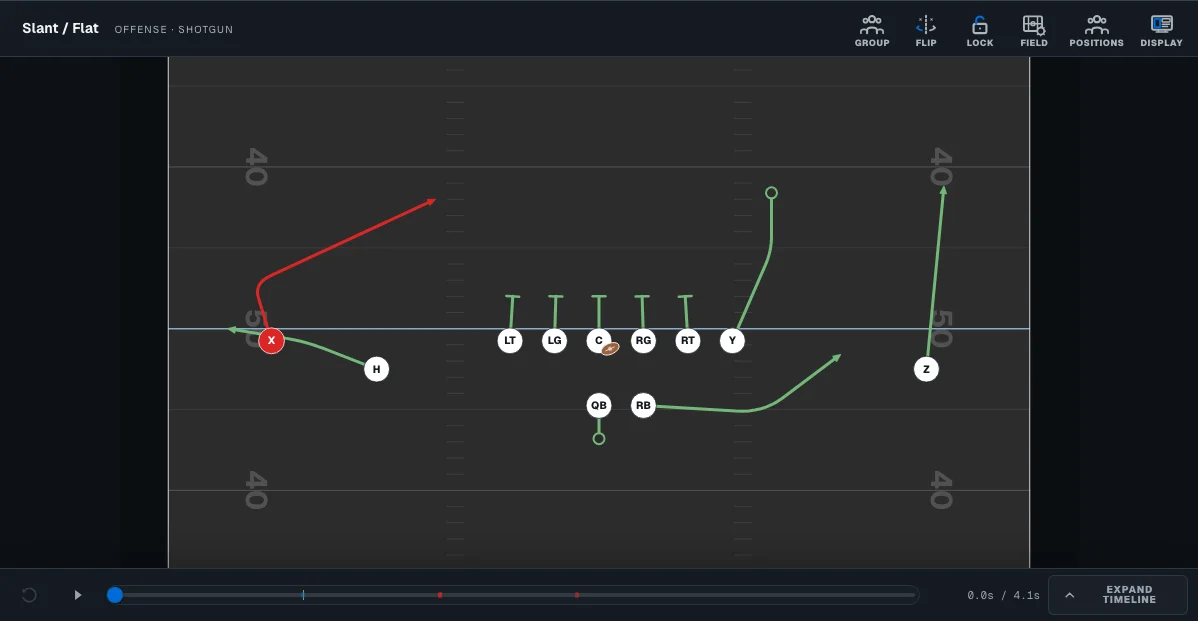
This is the FootballArc editor. Open Explore designer for more room.
A few things to tryWorking on a play
You don’t need a playbook already worked out. Pick a sample above and try changing one assignment.
Select a receiver and draw the route, or choose one from the route tree. Drag a player to change their alignment. Select a defender to work on movement or coverage.
Try Slant / FlatChoose Jet Sweep and press Play. Pause where the runner meets the quarterback, then open the timeline to adjust the handoff. Replay it to see what changed.
Work on the Jet SweepMove an alignment, change a route or adjust the timing on the same field. Undo takes you back through your edits. Reset demo returns to the original sample.
Go back to the field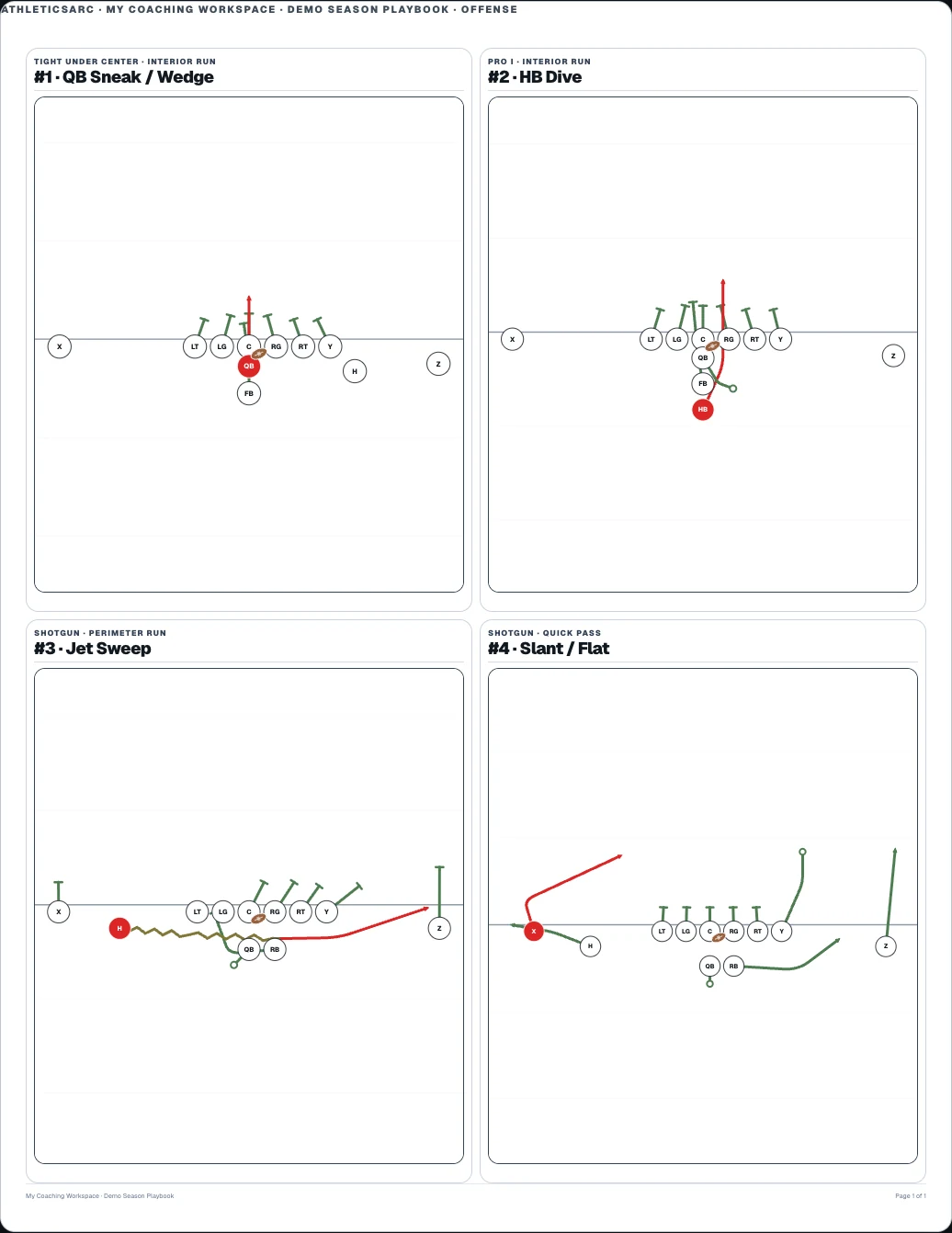
Playbooks & print
Organize your plays into a playbook. When it’s time to print, choose the plays and the page layout, then check the preview.
Printing requires an eligible paid plan and is not included in the seven-day trial.
Explore playbooks & printPractice planning
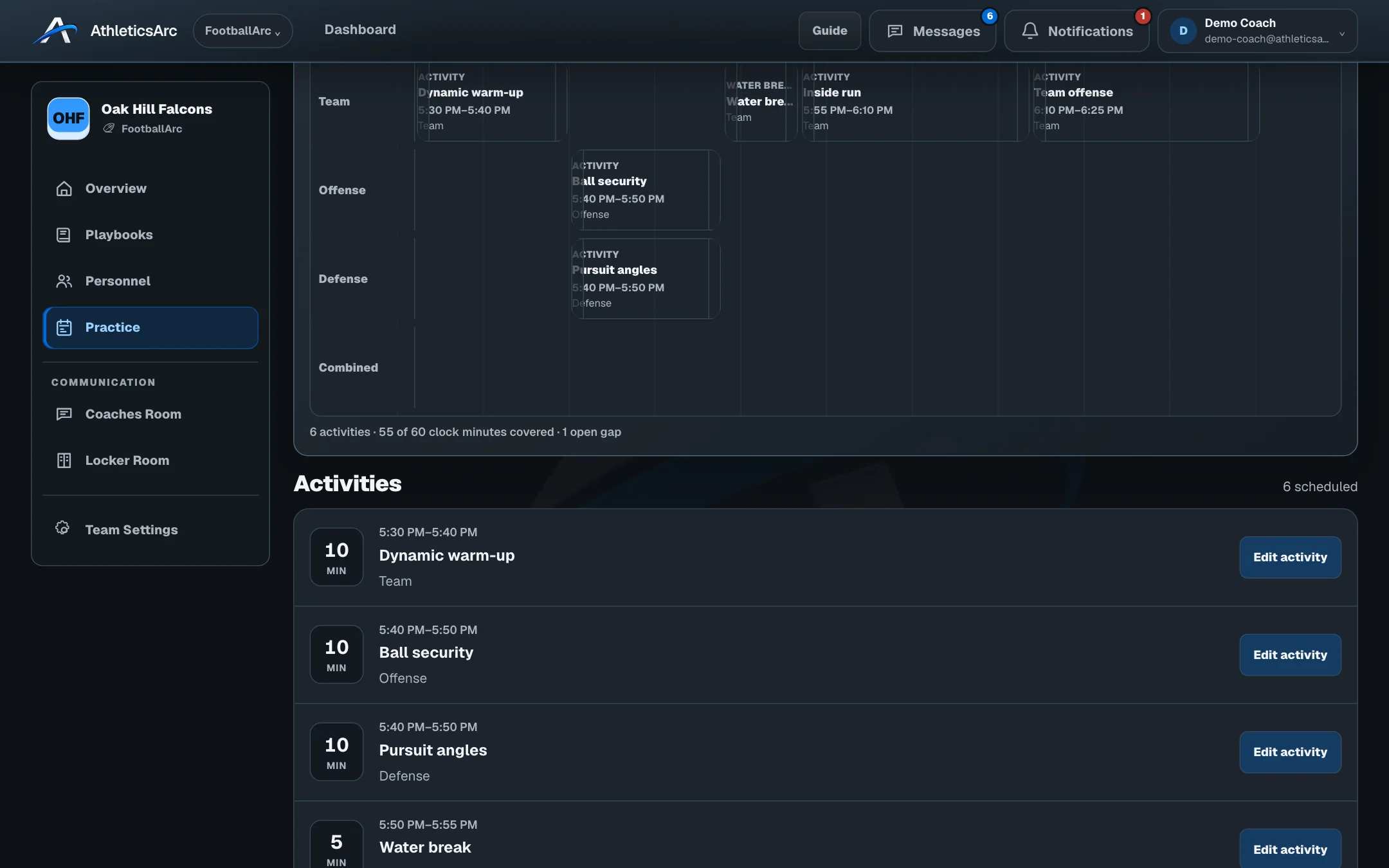
Set the activities and drills, give each one a time and assign the coaches. Schedule position groups alongside each other, then bring everyone back together for team work.
See the Practice PlannerIncluded with FootballArc Pro and Team.
Explore FootballArc
Set your depth chart, assign a practice group, or send families the arrival time. Choose a category to see the tools for that part of the job.
Create plays, review their timing, and plan the activities and drills you want to teach.
Move players, draw routes and motion, and review the snap, exchanges, and defensive assignments.
Explore play designBrowse plays by formation and category, then prepare playbook pages, wristband inserts, or call sheets.
Explore playbooks & printChoose activities and drills, set their duration, and assign coaches to simultaneous position work.
Explore practice planningYes. Start with a formation or sample play and add the assignments. You can build your first plays one at a time; you don’t need to bring a finished system.
The trial includes core play design, playbooks, roster work and guardian connections. Confirm your email and choose a coaching path to begin. No card is required. Printing, Practice Planner, depth charts and advanced team tools require an eligible paid plan.
No. This demo uses temporary samples. Resetting, choosing a sample or refreshing starts fresh. Once you have an account, you can save the plays you create in your own playbooks.
Yes, with an eligible paid plan. FootballArc can print playbooks, wristband cards, call sheets and practice schedules. The free worksheets in our resource library are separate downloads and don’t require an account.
No. Accept your coach’s invitation to connect to your athlete. Creating an account for family access does not start a coaching trial.
Your own FootballArc playbook
Create an AthleticsArc account, confirm your email and choose a coaching path. You can then save your own plays and start a playbook.