
Offensive and defensive assignments
Author routes, pre-snap motion, ball exchanges, man coverage, zones, and defensive movement on the same field.
FootballArc
Choose a starter formation or stock play, then edit the alignment and assignments on the field. Playback shows how the routes, motion, and ball exchanges develop. Open the timeline when you want to adjust their timing.
In FootballArc: Playbooks → Open a play
Drag a player into position, then select that player to work on an assignment. Draw a receiver’s route or choose a route preset. For a defender, draw movement, select a player to cover, or mark a zone.
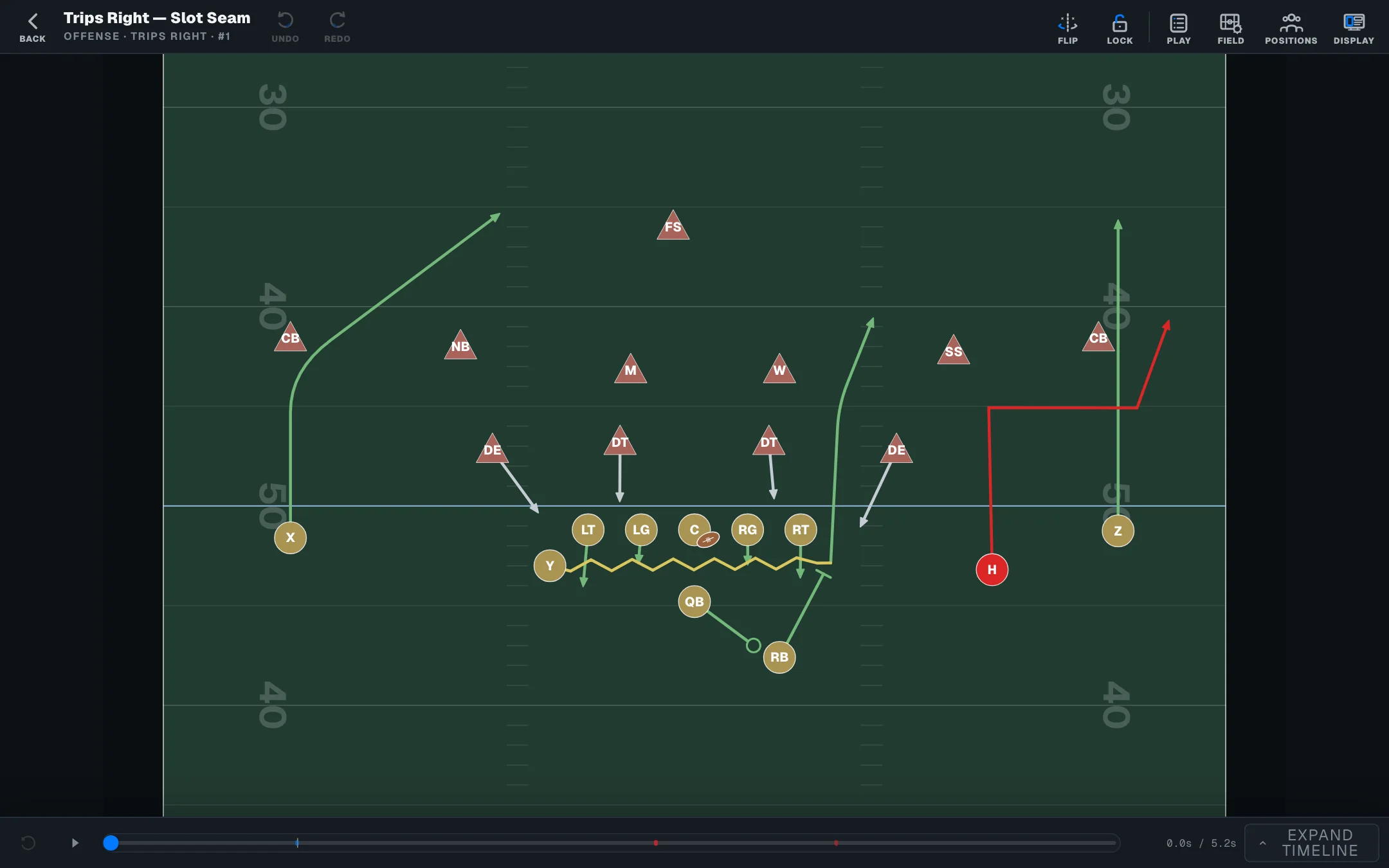
Play the assignments together, pause at an exchange, or move through the timeline to explain a moment. Adjust motion, pass and handoff timing, or individual player speeds, then replay the play to review the change.
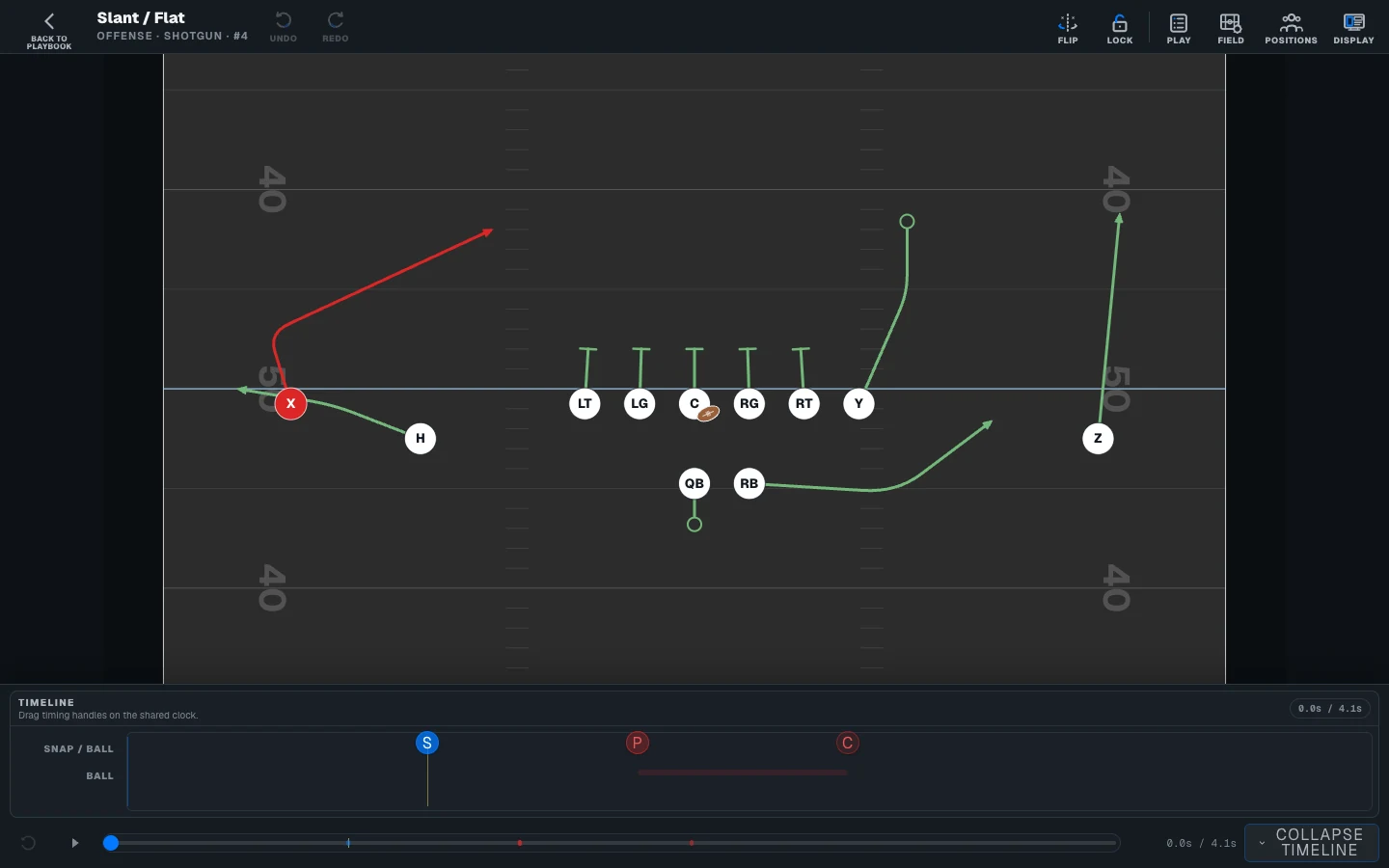
Author routes, pre-snap motion, ball exchanges, man coverage, zones, and defensive movement on the same field.
Begin with a formation or stock play and complete the assignments for your team. You do not need an existing playbook.
Duplicate a saved play when you want a variation. Editing the copy leaves the original unchanged.
The seven-day trial includes play design, playbooks, and roster work. Printing and advanced team tools require an eligible paid plan. Your team also controls access to its tools. Images show sample coaching and family data.
Open a sample play, change the assignments, and use playback. The public demo is free to explore and needs no account.