SoccerArc · Soccer coaching tools
Plan your practices and show players how to move.
When you’re explaining a give-and-go, the first pass is only part of the picture. Players also need to see where to run, when to move and where the return pass should arrive. SoccerArc lets you draw that sequence and play it back, then organize the activities you’ll use to work on it at practice.
Set up an adult AthleticsArc account, then review evaluation availability and paid plans. No automatic charge.
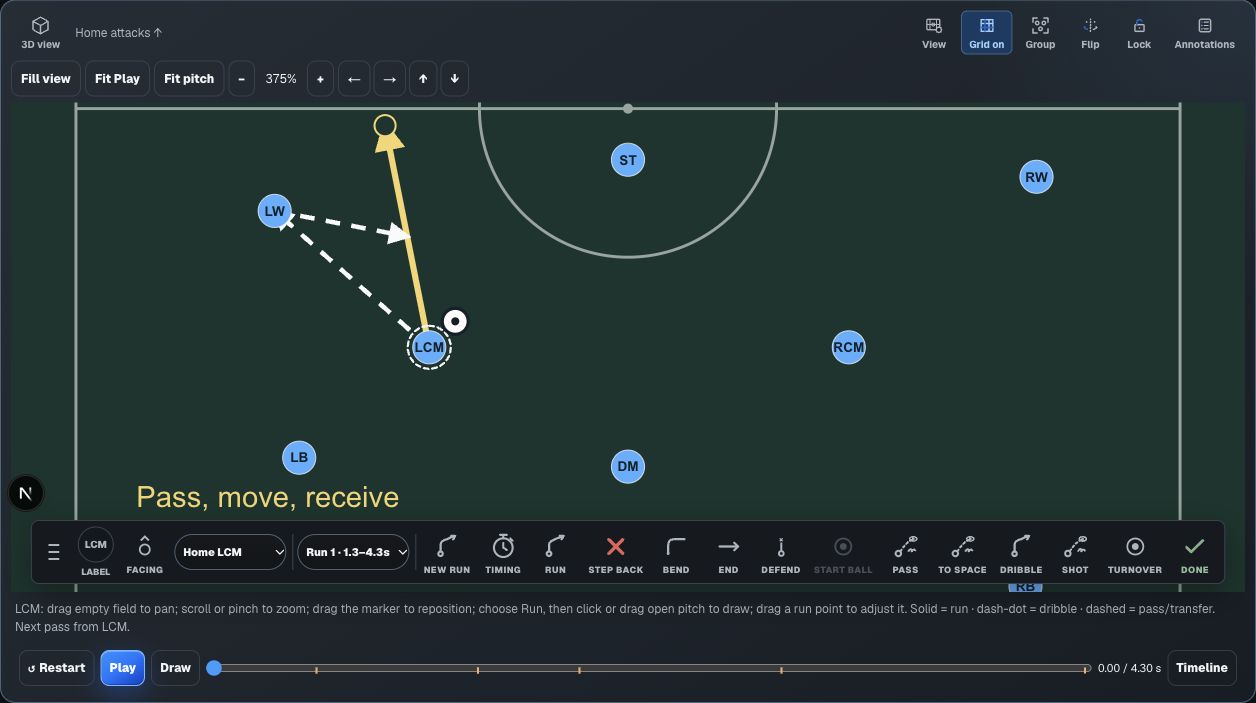
Walk through a sequence with your players.
Start from a formation, position the players and choose who has the ball. Select a player to draw a run or dribble, then add passes and shots. Different line styles distinguish a run from movement with the ball, and the timeline lets you adjust when each action happens.
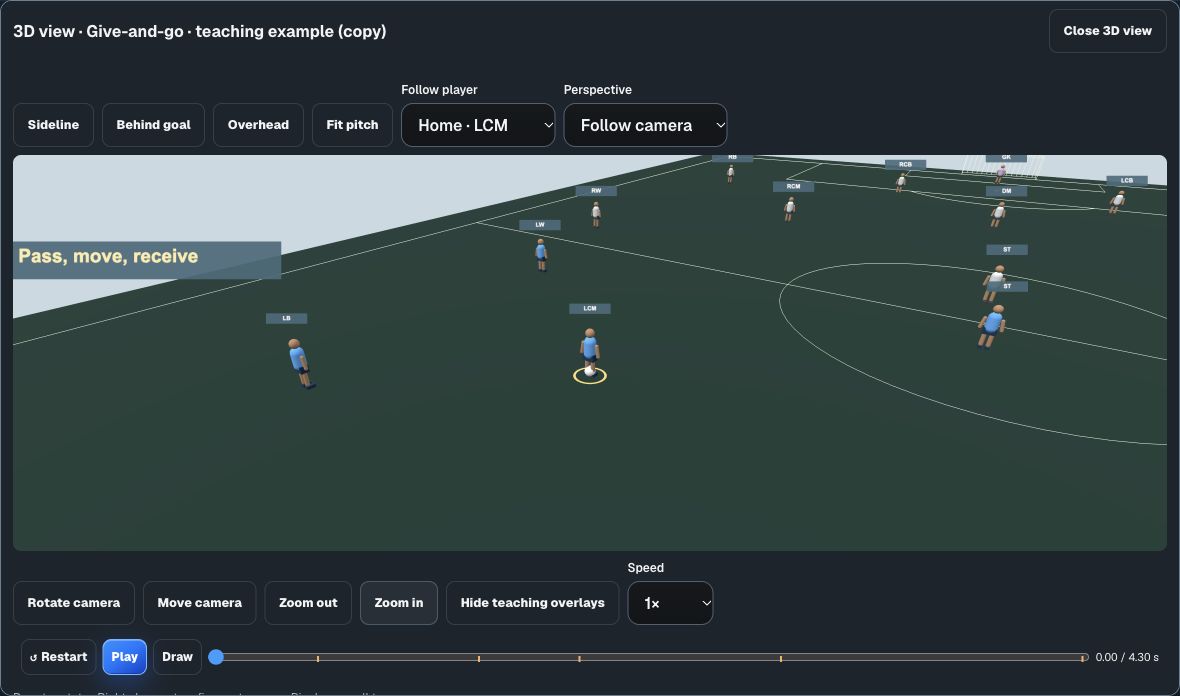
Use 2D playback to follow the paths, or switch to 3D to look at the same sequence from the sideline, behind a goal or near a selected player. Pause and replay the moment you want to discuss. The 3D players are simple teaching models; their movement follows your drawing.
Choose 4v4, 7v7, 9v9 or 11v11 when creating a play or formation. Save different formats in the same Playbook, and duplicate a sequence to try a variation while preserving the original.
Practice planning · Pro and Team
Build a session around the players you have.
Practice activities can use different numbers from your match formation. Draw a small-sided game, a receiving exercise or several stations using players, neutral players, cones, goals and balls. Give each moving player or ball its own path and timing to show how the activity works.
Start with one of nine original activities or create your own. Add your coaching points, adjust the space and challenge, and arrange activities into a session. Save a drill for reuse, then use Practice Day to follow the session on the field. An activity copied into a practice remains independent of its source drill.
Keep the lineup and teaching material with your Team.
Your roster sits alongside your Playbooks. With Pro or Team, use depth charts and personnel packages to organize players by role and apply a lineup to a diagram. A Team plan adds staff collaboration, so other coaches can work in the same Team with the permissions you assign.
When you’re ready to take material to practice, paid plans support printed coach sheets and saved Play animation videos. Pro and Team also support saved Practice animation videos. Create and review the output before downloading it. Coach sheets keep the pitch vertical; wristband layouts use a compact horizontal field.
Which tools are included?
- Seven-day evaluation
- One Team and one coach, with Playbooks, the Editor and Roster. Printing and staff collaboration require paid coverage.
- Basic
- Playbooks, the Editor, Roster and paid Playbook output for one coach.
- Pro
- Basic tools plus Practice planning, depth charts, personnel packages and Locker Room tools for one coach.
- Team
- Pro tools plus staff collaboration and Coaches Room, with five included staff seats.
Each AthleticsArc license covers one Team in one sport. Review current prices and available evaluations in Account before choosing coverage.
Start with a sequence you already teach.
Set up your account, review the available evaluation, and draw a familiar passing pattern or restart. You can work on the diagram before entering a roster. Practice planning is available with Pro or Team when you’re ready to build a session around it.